

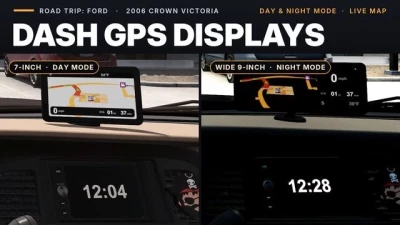


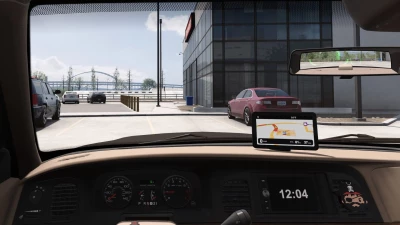
The Crown Victoria version of my dash GPS mod: an aftermarket touchscreen GPS unit sitting on top of the dash above the centre stack, the way you would add one in real life.
Two units to choose from
Dash GPS Display 7″Dash GPS Display Wide 9″
Four pages on each unit
Navigation – live map with your speed, the speed limit, time remaining (ETA), heading and outside temperatureMap only – the map across the whole screen with the speed limitHome – trip meter, heading and temperatureStandby – an open-road picture with the heading and temperature
Switch pages with the game’s Infotainment Display Mode control (Options > Keys & Buttons).
Day and night mode
Headlights off – day mode: light map and a daytime standby pictureHeadlights on – night mode: dark map, a moon-and-stars standby picture and a small moon mark on the screen. Parking lights alone stay in day mode.The screen dims with the game’s dashboard backlight setting and is off when the electrics are off.
The car’s own screen becomes a clock
The Crown Victoria’s factory centre screen shows a big clock instead of its small map, with or without a GPS unit fitted if you have this mod activated. That is why the units themselves have no clock.
Where to find them
Any service or upgrade shop > interior accessories > Hanging Items.
The units use the mount point by the rear-view mirror, so one cannot be fitted together with a hanging item.
Requirements
Road Trip: Ford DLC (2006 Crown Victoria)Game version 1.61
Good to know
Speed and temperature follow your game settings (mph or km/h, F or C).The ETA is the driving time left to your final destination, shown as hours and minutes.The media card and app icons on the Home page are for looks only.Works alongside the Mustang version – they share no files.The mod replaces one small Crown Victoria interior definition file. If you run another mod that changes the Crown Victoria interior, load this one above it.Take the unit off the car before you unsubscribe.
 Report file


COMMENTS
There are no any comments
Write a comment