

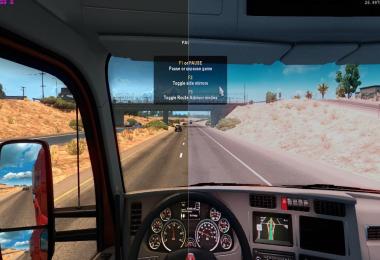
I think this is what made BF3 beautiful...
DEsaturation 1.2
Settings enabled:
http://postimg.org/image/bw0yv3u5f/
Changelog:
Increased brightness and improved colors
Installation:
• Download the latest ReShade Framework and extract it to a permanent location.
• Extract preset to \ReShade\PersonalFiles\Presets
• Launch ReShade Mediator.
• Add the game executable using the left box and select my preset using the right box.
• Click Apply at the top and close Mediator.
PS:
If you dont like CA, Lumasharpen or any other effect, just disable it in the Mediator.
- 1 Likes
- 0 Comments
- 77 Downloads
-
 1
Downloads in
1
Downloads in
-
 9 years ago


 Report file


COMMENTS
There are no any comments
Write a comment