



===============================================================
EXPRESS PERFORMANCE MOD v1.2
American Truck Simulator (1.60 / 1.61)
by Express Mods & Tips
===============================================================
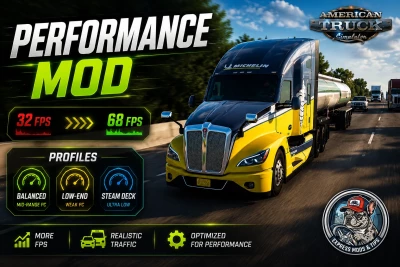
More FPS, with traffic that still feels real.
Three profiles - pick ONE for your PC.
Tuned a little more aggressively than the ETS2 version: ATS maps
are emptier and more rural, so they take a deeper cut and still
feel alive.
-----------------------------------------------------------
HOW TO INSTALL
-----------------------------------------------------------
1. Close the game.
2. Go into the profiles\ folder and copy ONE of the .scs
files to:
Documents\American Truck Simulator\mod\
3. Start the game, open the Mod Manager, enable it.
IMPORTANT: only ONE at a time. If you enable two, they both
edit the same game files and fight each other.
-----------------------------------------------------------
WHICH ONE DO I PICK
-----------------------------------------------------------
1 - Balanced (mid-range PC)
GTX 1060 / RX 580 and up. Keeps the roads busy, trims the
grass and the worst city-centre spikes.
2 - Low-End (weak PC) <-- recommended
GTX 1050 / RX 560 / older i5 / small all-in-one PC.
3 - Steam Deck (ultra low)
Steam Deck, ROG Ally, integrated graphics, mini PC.
Very aggressive. On a normal desktop it cuts more than
you need.
-----------------------------------------------------------
WHAT EACH PROFILE CHANGES (vanilla ATS: AI 50, grass 60)
-----------------------------------------------------------
Balanced Low-End Deck
AI vehicle limit 30 22 15
Spawn distance 450m 360m 288m
Despawn distance 585m 450m 360m
Grass density (of 60) 41 29 17
Grass draw distance 72m 51m 38m
Grass drawn vs vanilla 13% 4% 1%
(the last row is what actually costs you frames)
-----------------------------------------------------------
BONUS - EXTRA FPS FROM config.cfg
-----------------------------------------------------------
A mod can only touch the game's def files. On a weak PC the
real framerate lives in shadow resolution, mirrors and level
of detail - and those sit in config.cfg, where no mod can
reach.
The tool in this folder can:
config-tuner\TUNE PERFORMANCE.bat
It backs up your settings before touching anything, shows you
exactly what it will change, and lets you undo it whenever you
want. It asks which game to tune (ETS2 or ATS). Read
config-tuner\README.txt.
It is OPTIONAL and separate from the mod.
-----------------------------------------------------------
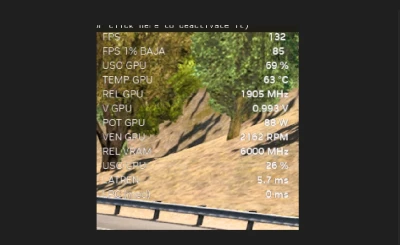
MEASURING FPS PROPERLY
-----------------------------------------------------------
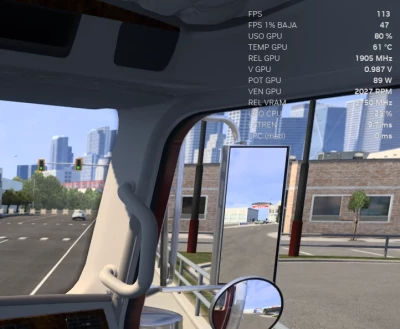
Traffic changes a lot depending on the in-game clock. If you
measure at different times of day the number means nothing.
Keep all three the same across both runs:
Place ..... same spot, ideally a big city (LA, Las Vegas)
Time ...... 16:30 - that is the peak, the worst case
Weather ... clear in both
Watch your MINIMUM fps, not the average.
-----------------------------------------------------------
WHAT IS NOT TOUCHED
-----------------------------------------------------------
Physics, economy, savegames, textures, models, trees,
buildings and shadows.
Compatible with truck mods, map mods and sound mods.
Safe to add or remove mid-save.
-----------------------------------------------------------
CREDITS
-----------------------------------------------------------
Crafted by Express Mods & Tips - devs: 6, tarkin711
YouTube: https://www.youtube.com/@ExpressModsTips
==============================================================
 Report file


COMMENTS
There are no any comments
Write a comment