

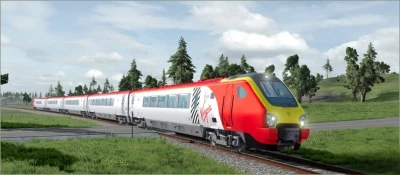


British Rail Class 220/221 Voyager BeamNG Drive Diesel Train
The mod includes a train and a carriage. To install, simply move the downloaded file to the Mods folder.
Features:
28 configurations (7 for the car), 7 colors.
Configurations marked Front Engine are the main trains to be installed at the front of the train.
Configurations marked Rear Engine are the rear trains for installation at the end of the train (differ in the type of coupling).
Working lighting technology, smooth animation of lights on and off.
Customized smoke effects.
Impellers.
The ability to walk around the car in walking mode due to the collision of seats.
The train is stable on the rails.
A 5-car train accelerates to 125 MPH (200 KM/H).
There is a first and second class.
The light in the cabin does not illuminate the rails below.
Control of the Head Car BR Class 220/221:
N: Headlights turn on (Low beam – front lights, High beam – taillights).
H: Beep.
T: Acceleration (also hold down W).
G: Speed reduction (press S).
Alt + A: Change the direction of movement.
Y: The cabin light.
U: The light in the cabin.
Car Management:
Y: Turning on the interior light.
C: Switch the camera to a 1-person view.
Assembling the Train:
Select BR Class 220/221 marked Front Engine and install it at the beginning of the train.
Rotate the car and place it on the rails using the editor (F11).
Duplicate the cars with the Shift key pressed, moving them in the desired direction.
Install the BR Class 220/221 marked Rear Engine at the end of the train and rotate it.
Switch to the main train and press L (you can drag wagons using Node Grabber).
Make sure that the wagons are not stuck on the rails by lifting them.
Switch to the first attached car, press Shift + L. If the car is not rolling towards the head car, you can move it behind the frame using Node Grabber (on Ctrl).
If the rear train does not pick up, press Shift + L on the last car and drive the rear head car closer to the cars and release the brakes.
Important:If the Train Is Not Moving:
Lift it above the rails in the editor (F11).
Press pause (J) and release the brakes (down arrow and P/space bar).
Switch to M1 gear.
Known Issues:
The doors can’t be opened yet.
The interior light must be turned on manually in each carriage.
Bad collision of the passenger compartment of the main train.
 Report file


COMMENTS
There are no any comments
Write a comment