



Changes v0.4.0:
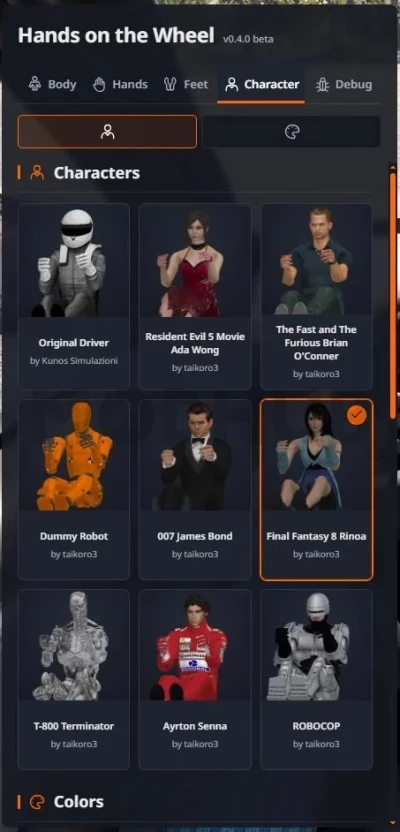
- New characters.
- PBR materials for every character.
- Paddle and gear lever shift animations.
- Support for left and right-hand gear levers.
- Motion blur masking for the driver (Thanks to Ellexium).
- Independent body, hand, and foot scaling.
- Adjustable feet with resting positions.
- Optional camera-following head movement.
- Individual toggles for steering, pedal, and shifting animations.
- Lots of new options for you to customize however you like.
Information:
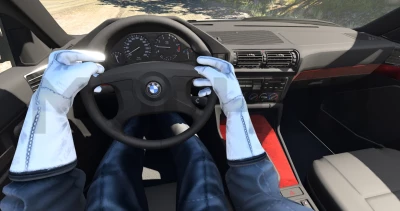
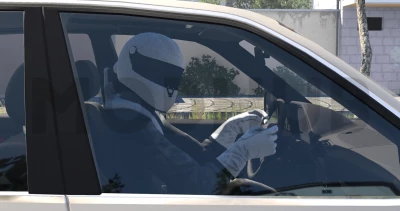
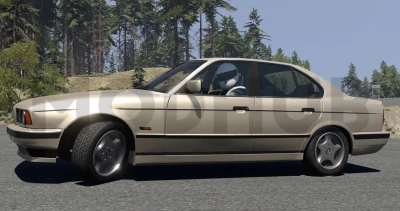
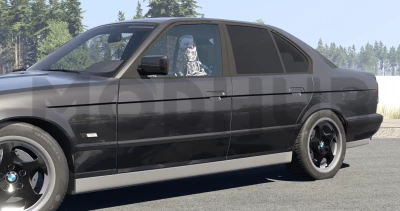
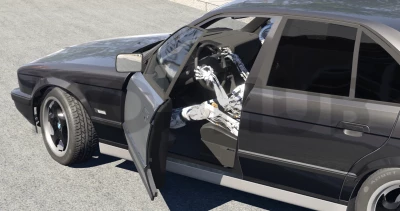
This mod adds a visible character and hands interacting with the steering wheel - mechanics that were missing in BeamNG.drive.
Features:
- Fully animated character, head, arms and legs.
- Character selection.
- Color adjustment.
- Independent saved configurations.
Configuration and compatibility:
- Open the pause menu → "Mods" → "HOTW Settings" and turn on the Editing mode on the tab you want to configure.
- Body (Body): choose the driver's position, and adjust the bend and width of the elbows. After changing any of the elbow sliders, first click "Apply" and then "Save".
- Hands: Adjust the position and rotation of each hand individually.
- Feet: Adjust the position and rotation of each foot to work with the accelerator, brake, and clutch pedals (if provided in the vehicle).
- Character: Select a character and customize his clothes, accessories, as well as skin and hair color. To confirm the color change, click "Apply color".
- Click "Save" to fix the settings, or "Cancel" to undo the changes.
Body, arm, leg, and character configurations are stored independently of each other. The body position is saved for each vehicle model, the hand settings are saved for each steering wheel, and the foot settings are saved for each pedal. The character selection is saved separately, while the color options selected for it are also saved.
For vehicles using the same steering wheel, hand position settings will be common. Standard calibrations are provided, however, manual adjustments may be required for some vehicles or configurations.
The position of the legs is linked to the animation of the vehicle's pedals, and the system uses either standard calibrations or settings you set. If the legs are not displayed correctly, use the "Feet" section to manually adjust them.
You can also separately enable or disable the display of the body, head, arms and hands. In the cockpit view mode (including the "Enhanced Interior Camera"), the character's head is automatically hidden so as not to obscure the view. When viewed from the first person, the head movements follow the direction of your gaze, and when viewed from the outside, the character's head turns towards the camera.
Installation in the "mods" folder!
 Report file


COMMENTS
There are no any comments
Write a comment