



Changes v0.4.1:
New features:
- New animated transitions between the steering wheel and gear lever for both hands.
- Clutch anticipation: with a manual gearbox, pressing the clutch moves the hand to the gear lever to wait for the shift.
- New looping idle animation with subtle head and finger movements.
- Optional Limit limb stretching setting to keep arms and legs within their natural reach. Disabled by default to preserve existing configurations.
- Separate options to enable or disable the mod and its motion blur mask.
- Q and E shortcuts to switch tabs, with on-screen key indicators.
Interface improvements:
- Renamed the Debug tab to Settings, bringing general settings and diagnostic tools together.
- Improved layout on smaller screens to prevent overlapping icons and text.
- Fixed editing footer with Reset, Cancel, and Save buttons.
- Added protection against leaving editing mode without saving or cancelling.
- Added confirmation dialogs before resetting adjustments.
- Standardized notification colors: green for success, orange for warnings, gray for status updates, and red for errors.
Fixes:
- Fixed compatibility with RLS Career Overhaul, resolving errors when installing vehicle parts.
- Fixed the gray motion blur mask artifact when using HDR.
- Fixed missing shift animations when selecting neutral with sequential gearboxes.
- Fixed leg extension adjustments requiring a character reset before responding again.
- Improved hand trajectories and glove deformation during shifting transitions, including configurations using Twist adjustments.
- Fixed the appearance of disabled diagnostic options.
Information:
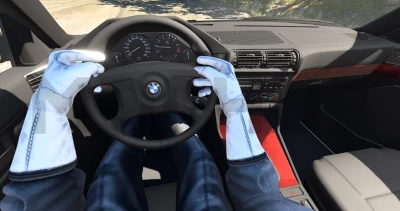
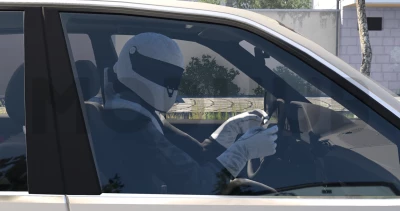
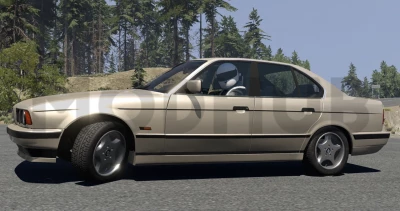
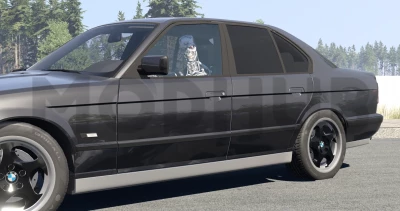
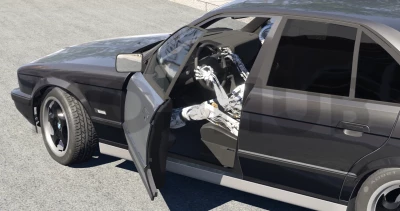
This mod adds a visible character and hands interacting with the steering wheel - mechanics that were missing in BeamNG.drive.
Features:
- Fully animated character, head, arms and legs.
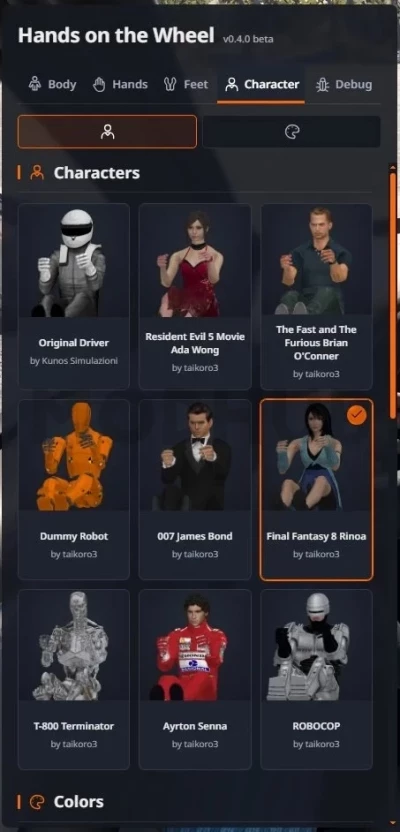
- Character selection.
- Color adjustment.
- Independent saved configurations.
Configuration and compatibility:
- Open the pause menu → "Mods" → "HOTW Settings" and turn on the Editing mode on the tab you want to configure.
- Body (Body): choose the driver's position, and adjust the bend and width of the elbows. After changing any of the elbow sliders, first click "Apply" and then "Save".
- Hands: Adjust the position and rotation of each hand individually.
- Feet: Adjust the position and rotation of each foot to work with the accelerator, brake, and clutch pedals (if provided in the vehicle).
- Character: Select a character and customize his clothes, accessories, as well as skin and hair color. To confirm the color change, click "Apply color".
- Click "Save" to fix the settings, or "Cancel" to undo the changes.
Body, arm, leg, and character configurations are stored independently of each other. The body position is saved for each vehicle model, the hand settings are saved for each steering wheel, and the foot settings are saved for each pedal. The character selection is saved separately, while the color options selected for it are also saved.
For vehicles using the same steering wheel, hand position settings will be common. Standard calibrations are provided, however, manual adjustments may be required for some vehicles or configurations.
The position of the legs is linked to the animation of the vehicle's pedals, and the system uses either standard calibrations or settings you set. If the legs are not displayed correctly, use the "Feet" section to manually adjust them.
You can also separately enable or disable the display of the body, head, arms and hands. In the cockpit view mode (including the "Enhanced Interior Camera"), the character's head is automatically hidden so as not to obscure the view. When viewed from the first person, the head movements follow the direction of your gaze, and when viewed from the outside, the character's head turns towards the camera.
Installation in the "mods" folder!
 Report file


COMMENTS
There are no any comments
Write a comment