

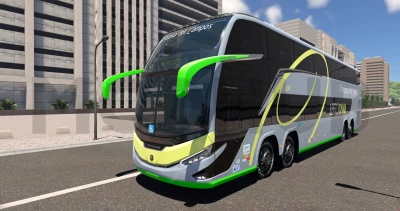


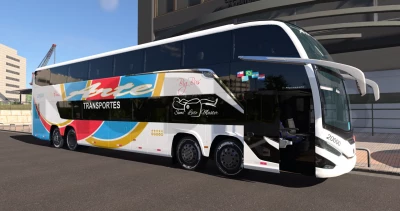
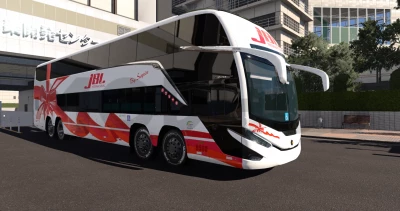
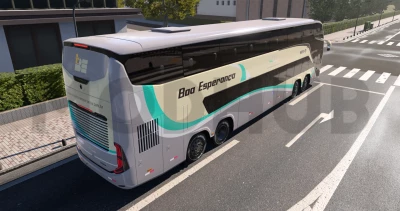
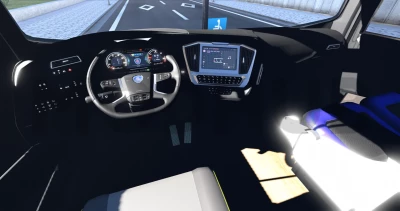
The Marcopolo Paradiso G8 1800 DD is Brazil's flagship double-decker luxury bus. This mod adds it to BeamNG.drive. Listen to your music, use voice navigation and get automatic route building in bus missions.
Features:
- 33 configurations, including the standard one, 30 paint options for Brazilian operators and platforms with a bare chassis;
- Scania DC13 12.7 L engines (360 hp and 500 hp);
- Scania Opticruise 8-speed transmission;
- Fully functional multi-section suspension with steerable support and center axles;
- Air suspension with lowering function and Scania Drive modes (Economy, Standard, Power);
- Front destination sign (works with bus missions) and working sliding doors;
- Steel or painted wheels, multiple tire options, JATO and nitro jet engines;
- Detailed interior with passengers, digital interactive Scania dashboard and screens indicating the next stop;
- Interactive cabin: steering wheel buttons, parking brake lever, volume control, cruise control, interior/atmospheric lighting, air conditioning fan, reverse gear signal and differential lock control;
- 3 steering wheel styles and calibrated multi-speaker cockpit audio system;
- Touch-sensitive multimedia system: music player with playlists, photo application with wallpaper support, navigation with voice prompts at every turn and automatic route planning for bus flights;
- Optional: Voice assistant for directions, stop announcements and warnings on the instrument panel.
Infotainment services (recommended) (link 2):
- A small companion application that works alongside the game. It downloads your music and pictures outside of the game, plays more audio formats, and supports a voice assistant. It is also required for shortcuts to folders outside the user's BeamNG folder or the game folder.; - The infotainment system works without it, but with limited functionality.
Adding music:
- Open the music app and click the + button next to the queue (top right), then click "Open Music folder". Put your music files in this folder and click the refresh button on the media screen. The subfolders will become playlists (enable "Use folders"). You can also add Windows shortcuts (.lnk) pointing to music folders anywhere on your PC.
Adding pictures and wallpapers:
- Open the Photos app and click "Open Picture Folder" at the top. Drag your pictures to this folder and click the refresh button on the media screen. Subfolders turn into albums, and shortcuts (.lnk) work the same way. To set the wallpaper, open any picture and click "Set as Wallpaper".
Bypassing the keyboard:
- Press Ctrl+F12 or touch the keyboard button on the screen to type in the infotainment using a real keyboard. Tap again to bring the keyboard back into the game.
Installation Instructions:
- Download the mod and don't unpack it. Open the game launcher and do not click "Launch". Click on "Manage User Folder", then "Open User Folder", then open the "mods" folder. Insert the mod there without unpacking it.
Information and entertainment services can be downloaded link 2.
 Report file


COMMENTS
There are no any comments
Write a comment