

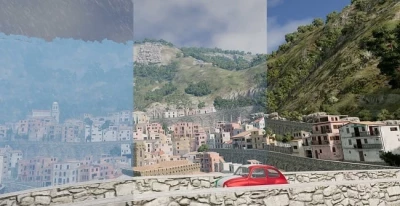


This lua script implements dynamic weather in BeamNG!
It's not the most beautiful, but considering the capabilities of the game engine (rain, fog, clouds), I think it's still pretty good. It is still in beta testing and not fully completed, although the main elements are already working.
Current functions:
- Weather phenomena: sunny, cloudy, light rain, rainy, stormy, foggy, misty rain dynamic wind affecting vehicles and ground cover/forest facilities (if supported by the facility)
- Wind gusts that occur randomly from time to time, the frequency and strength depend on weather conditions
- Tornadoes that slowly chase the player and interact with physical objects (vehicles, concrete retaining wall, mattress, ...), only one can be active at a time
- Slippery roads during rain/snow (if the roads are made of terrain, it does not work for grids such as bridges)
- Dynamic rain, clouds, fog, temperature and brightness
- User interface for optional control of weather, wind, tornado and road conditions
- Compatible with career mode and missions/scenarios
Management
- Activate with the keyboard shortcut Alt + W
- Open the interface with the keyboard shortcut Ctrl + Alt + W
- Create a tornado with the keyboard shortcut Alt+T
How to use it?
To activate dynamic weather on the map, press Alt + W. If you want to hide wind gust messages and event announcements, press Ctrl+Alt+W. These keyboard shortcuts can be changed in the settings. After activation, a message should appear in the upper-right corner of the screen. When you change the card, the script will download itself to prevent problems. You need to turn it back on manually.
Tornadoes are not part of the weather yet, you need to enable or create them manually. You can create a tornado next to your current vehicle using Alt+T. The random creation of tornadoes can be enabled in the user interface, but at the moment it does not depend on weather conditions. This will be improved in a future update. Only one tornado can be active at a time.
If you want a specific weather event to happen, you can use the user interface that is displayed when the main menu (Esc) is active. You can also use it to control road conditions, wind speed, tornadoes, time between random weather events, and switching between snow and rain. Alternatively, you can also use the console commands that are documented in the discussion thread.
In version 1.1:
Improved career support.
- The weather extension is loaded automatically when you log in (you can disable it in the interface, so first load the map in the free movement mode before starting your career, if you don't need it).
- The tornadoStorm event is disabled by default (can be changed in the interface).
- The weather persists when saving/exiting a career or disabling an extension.
- The previous weather is loaded if there is a saved weather for the career slot, otherwise it is sunny.
- Active tornadoes are also saved and loaded back when you log in to save again.
Tornado improvements.
- Increased the default speed of the tornado (0.5/sec >> 1/sec).
- The behavior of tornadoes has been changed, now they appear further away from the player.
- Added the ability to create tornadoes in the player's or camera's position.
- Added the ability to make the tornado follow a specific vehicle (you can select it from the drop-down list in the user interface).
- Improved tornado speed control (now there are two parameters: seconds between each movement and meters/distance traveled per movement).
- Stationary tornadoes are now possible.
- Added the ability to control the duration of tornadoes for customizable tornadoes.
- Added a preset system for configuring tornado (save/load your tornado settings, comes with two default presets).
- Added the ability to use a localized ForestWindEmitter for tornadoes (very strange — try it at your own risk :p).
Other.
- The layout of the user interface has been changed.
- Added the ability to change the logWeather and shadow texture size for the user interface (logWeather = 0.992, texSize 2048 is recommended for best results).
- Added support for the Simple Traffic Japan Pack from AgentMooshroom.
- (hopefully) Fixed a bug that caused cars running in traffic to shut down. Headlights at night/in tunnels
- Some internal code changes (added custom extensions for weather and tornado, expanded interface)
- Changed the icon in the keyboard shortcut settings
 Report file


COMMENTS
There are no any comments
Write a comment