

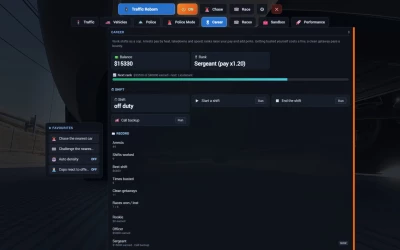


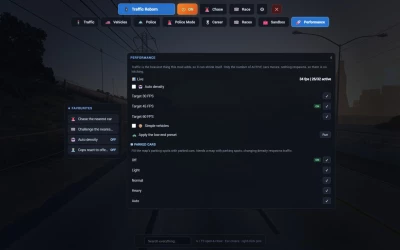
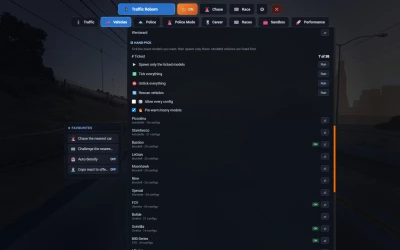
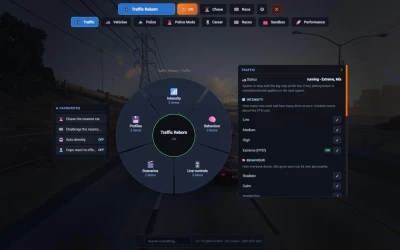
Hey everyone! Modslab Hub is a new place for the menus of my BeamNG mods. You install it once, press G, and all my mods that support it show up as tabs in one full-screen menu. So no more separate UI apps and menu keys for every mod.
The hub is free for everyone. By itself it doesn’t add anything to the game, it’s just the menu for my other mods. Right now it works with:
Traffic Reborn 1.7 and newer, both Free and Pro
Random Events from version 2.3 (coming soon)
I’ll be moving more of my mods into it over time.
What’s in it
G opens and closes the menu, F3 works too as a backup key
Every installed mod gets its own tab at the top with its own pages
Pages have different layouts depending on what’s in them: a ring for categories, lists for settings, cards for stats
Favourites: right-click anything to pin it to the list on the left, works across all mods
Search through all mods at once from one box
Status dock: when the menu is closed, a small strip in the corner shows what your mods are doing. It doesn’t block the mouse and hides when the game’s own menu is open
Settings (the gear tab): menu size, close on click outside, close after an action, dock position and your keys
The hub adds itself to your UI layout, you don’t need to set anything up by hand
Keys
G or F3 opens and closes the menu, Esc also closes it. You can rebind both in Options > Controls (search for “Modslab”) or from the hub settings, there’s a button there that takes you straight to the bindings.
Some stock work vehicles already use G for their own stuff: bus kneeling, semi ride height, the dump bed, the loader arm. In those vehicles G stays with the vehicle, and the hub will tell you once to use F3 instead.
Good to know
One copy of the hub works for all my mods. Just keep it in the mods folder next to them and update it separately.
If some other mod still has an old built-in copy of the hub, you’ll see a message on screen with that mod’s name. Update that mod and the message will go away.
Works on BeamNG.drive 0.39.
How to install
Download modslab_hub_1.0.0.0.zip below
Put it in your BeamNG mods folder as it is, don’t unpack it
Start the game, load any map and press G
If something doesn’t work, let me know in the comments.
 Report file


COMMENTS
There are no any comments
Write a comment