

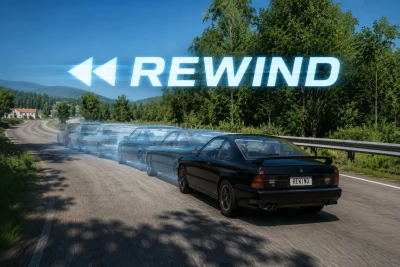


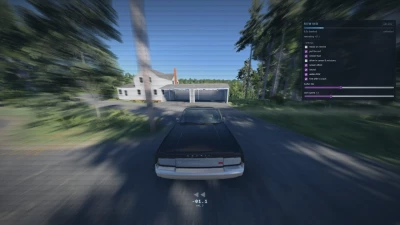
Hold T. Watch the crash un-happen. Drive away. Rewind brings the flashback button from arcade racers into BeamNG, and makes it work with soft-body physics.
What it does
You clipped the wall at 140. You rolled it on the last corner of a perfect run. You missed the jump. Instead of reloading the map and driving the whole approach again, hold T and your car retraces its own path backwards, with the tape-rewind effect and sound to sell it. Let go wherever you want and you carry on from that exact moment, at the speed you were doing. Held it too long? Shift+T runs you forward again.
The whole thing takes under a second. No loading screen, no respawn, no losing your line.
Your damage stays
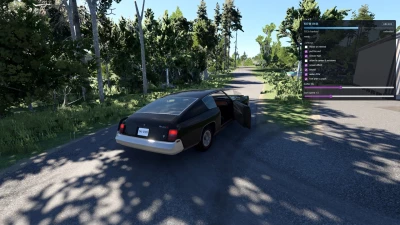
This is the part that makes it feel like BeamNG instead of a racing game. By default Rewind puts your car back where it was and leaves the dents exactly where they are. You get the run back, not a fresh car.
If you would rather have the clean arcade version, there is a checkbox for it, and it is smart about it: repair only triggers when the seconds you rewound actually broke something.
Keep yourself honest
Four modes, so you decide how much of a crutch this is:
-
Arcade. Unlimited rewinds, 1.5s cooldown.
-
Fair. 5 rewinds, 10s cooldown.
-
Hardcore. 1 rewind, 60s cooldown.
-
Off. Disabled.
Hardcore turns your session into something else entirely. One mistake you get to take back, and you spend the whole run deciding whether this is the one. Rewinds refill when you switch vehicle or reload the map.
Career and missions have it off by default, so nothing gets trivialised unless you choose to trivialise it. Not tested in career mode, use it at your own risk!
Works everywhere
Any vehicle, any map, no per-car configuration. Position, heading, velocity and wheel spin all come back. Fires get put out and your fuel level is restored. Everything is tunable from the in-game app, which also shows how many seconds of rewind you have banked and how many rewinds you have left.
Setup
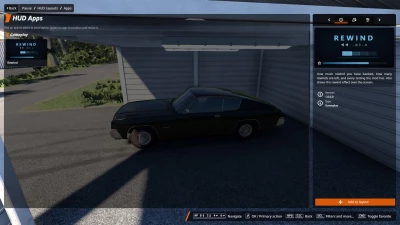
Install the zip manually (packed/unpacked version) or use AVA Mod Manager (recommended). Then add the app from the pause menu: Apps -> Gameplay -> Rewind. T and Shift+T are rebindable in Controls, under Gameplay.
Honest limits
-
Traffic does not rewind in 1.0. Your car goes back, the car you hit stays where it stopped. Syncing traffic is the headline feature of 1.1, and it is already in progress.
-
Repair, when you enable it, is always total. BeamNG has no partial repair, so the engine cannot restore some of the deformation and keep the rest.
-
No multiplayer support.
T2+ patrons get it first. Like every mod I put out, it goes free for everyone after a few days or weeks - supporting just means you play it early.
 Report file


COMMENTS
There are no any comments
Write a comment