



Changes v1.2.0:
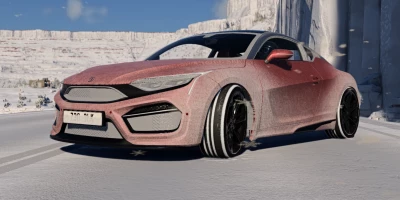
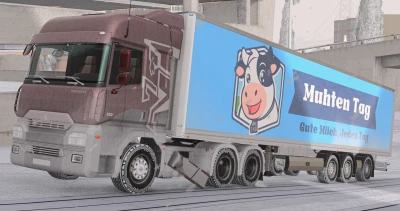
Snow on vehicles (new feature, beta version):
- Snow on wheels: when driving through snow, it sticks to the tires; on a clean road surface, the snow gradually wears off, and at high speed it flies off. Each wheel has its own layer of snow.
- Contamination of the body: snow porridge and snow flying from under the wheels settle on the body - around the wheel arches, along the sides, in the front and rear of the car. Snow also accumulates on the bumpers and other exterior elements.
- Melting: the snow on the body melts gradually if no new snow gets on it; the process accelerates when driving at high speed. If you leave the car stationary, it will be completely cleaned in about 9 minutes. You can disable this feature.
- Snow retention during reset: when the car is reset, the snow on it can either remain or disappear (the car will become clean).
- Snow retention when the function is disabled: if you turn off the "Snow" option, the snow accumulated on cars will not disappear instantly, but will gradually rub off the tires and melt on the body.
In the "Advanced" > "Snow on vehicles" section, sliders are available to adjust the rate of accumulation and melting of snow on tires and bodywork.
- AI—controlled vehicles: The feature is disabled by default - snow accumulates and footprints remain only on your car (this helps maintain productivity in heavy traffic). Enable this option so that snow also appears on traffic and parked cars.
- Both functions are in beta testing: some modified cars or tires may not be covered with snow at all, or snow may not fall correctly. Please share your observations.
Grip on snow (new setting):
- Vanilla (standard): the basic, "gentle" model of grip on snow provided by the game itself is used (this is how it has worked in fashion so far). This is the default setting.
Vanilla + tires: the basic clutch model, but now the tire type is taken into account: racing slicks and sports tires provide less grip, while rally and off—road tires provide more.
- Slippery (slippery coating): Traction on snow is about twice as bad as on dry asphalt; in deep snow, it is even lower, and there is additional resistance to movement. The type of tires also matters.
Snowfall:
- The shader of falling snow has been redesigned: now you can set the minimum and maximum size of snowflakes.
- Motion blur: Flying snowflakes are displayed as short strokes, the way the camera sees them, taking into account your speed and wind direction. The stroke length can be adjusted; when the value is set to 0, the effect is disabled. When the game is paused, the current streaks are saved.
- Wind settings: the intensity of snow transfer, its direction, as well as the random wind mode, which independently changes the strength and direction.
- The "No" level for new snow: snow is falling, but does not accumulate on the surface of the earth.
Settings panel and switches:
- Updated settings panel, where each parameter is accompanied by an explanation.
- A common switch for the entire mod, and below it is a separate switch for snow. If the snow is turned off, the trees remain leafless, and winter weather conditions are maintained according to your settings.
- New key binding: Turn on/off the entire mod (Settings > Controls > Gameplay).
World:
- Brighter winter days: snow now illuminates the surrounding area just as it does in reality.
- On the grid maps (Grid, Small Pure and Gridmap V2), the effects of traction with snow and tire tracks have been added.
- Tire tracks now better mimic the terrain, including rises and troughs.
Efficiency:
- Significantly reduced the number of sudden frame rate drops (lags) on large maps such as West Coast USA.
- The mechanism that prevents snow from entering tunnels and under bridges no longer causes "friezes".
- Snow-covered vehicles are now time-distributed, rather than being processed in one heavy frame.
- Additional testing of the Vulkan API has been carried out — now everything should work correctly (we hope so!).
Corrections:
- Fixed an issue where there was no snow on the grass (East Coast USA map).
- Fixed the display of lighting on tire tracks.
Deleted:
- Sounds of wind and the interaction of tires with the surface (along with the appropriate settings), as these functions are already implemented in the BeamNG game itself.
Features:
- Realistic snowfall: the correct shape of snowflakes in layers of depth, from a light snow flake to a blizzard.
- One snow level for the whole world: shallow, light, dense or deep.
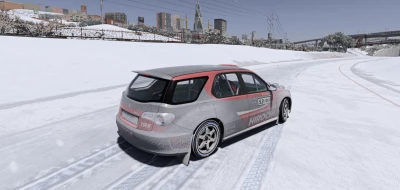
- Snow-covered roads that vary depending on the level: wet asphalt with snowy edges, slush between the lanes, clean ruts with snow ridges between them, dense snow with dark ruts and, finally, a completely snow-covered area.
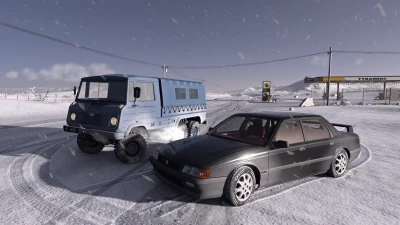
- Deep snow off the roads: smooth fluffy snow, into which the wheels dig and slide.
- Road modes: snow (follows the level), snow removal (wet road with a small amount of remaining snow next to deep snow) or without snow (map's own roads and traction).
- Traction follows: wet roads, then snow and slippery ice.
- Frozen water: lakes, rivers, and sea ice that you can ride on.
- Snow on everything: terrain, trees, bushes, rocks, roofs and sidewalks.
- Tire tracks: Your vehicles leave tire tracks in the snow. Fresh snow slowly covers them until they disappear.
- Winter weather: clear blue sky in dry weather, clouds and fog that form due to snowfall, and deep blue nights. Switch clouds, fog, sky color, blue night and cold separately or leave your own map lighting.
- Sound: crunching and sliding of tires on snow.
How to use:
- Install the mod and download any map.
- Open Snow Weather from the pause menu, the Mods tab.
- Select snowfall and snow level; everything else is optional.
- Turn on the mod using the first "Winter on/off" switch.
- The cloud and fog sliders you have changed on the Environment panel will remain yours until you click Reset.
Settings:
- Snowfall: on/off and intensity (light, moderate, heavy, blizzard)
- Snow cover level (light coating, thin layer, dense layer, deep snow)
- Roads: snow-covered, cleared or without snow
- Freezing of reservoirs (on/off)
- Tire tracks (on/off) and the time until they are completely covered with snow (from 10 seconds to 30 minutes)
- Weather: winter or standard for the map; the ability to separately include clouds, fog, sky color settings, "blue nights" and the effect of cold
- Density, size and speed of snowflakes falling
- The sounds of snow and wind, as well as their volume
- Gusts of wind during a snowstorm that can move vehicles (disabled by default)
 Report file



COMMENTS
There are no any comments
Write a comment