

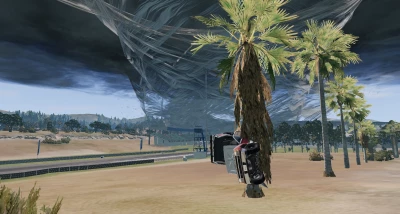



How to use
Radial Menu
Open the Radial Menu by pressing E, and go to Freeroam Actions > Tornado
upload_2025-5-2_22-26-12.png
You can attach a tornado to the current vehicle by selecting one of the "Attach" options.
Tornado strength ranges from EF0 to EF6 with EF6 being the strongest.
Tornados attached to the current vehicle can be deleted by selecting the "Delete Tornado" option.
Custom Tornados
You can spawn fully custom tornados by opening the tornado menu from the radial menu by selecting "Open GUI".
upload_2025-5-2_22-26-47.png
In this menu, size and wind speeds can be fully adjusted to your liking.
Name: the tornado will show up with this name in the Active Tornados list. To spawn multiple tornados you need to give them separate names.
Height: the height of the tornado in meters
Radius: the radius at the bottom of the tornado in meters
Wind Rotation: Sideways wind speed in m/s
Wind Inwards: Wind speed pulling towards the center of the tornado in m/s
Wind Up: Upwards wind speed in m/s
Wind Range: How far away from the tornado walls the wind will start affecting vehicles
Spawn Tornado: will spawn a tornado at the camera position or update an existing one
Delete Tornado: will delete a tornado, make sure you have an active tornado selected from the list!
Attach/Detach Tornado: will attach or detach the tornado from your currently driven vehicle
Multiplayer
If you want the tornados to sync in multiplayer, download Tornado_Server.zip and place the folder contained within (unzipped!) in the Resources/Server directory of your BeamMP server and place the main mod zip file in Resources/Client as normal.
 Report file


COMMENTS
There are no any comments
Write a comment