

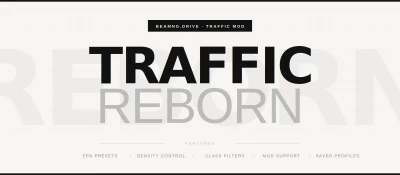


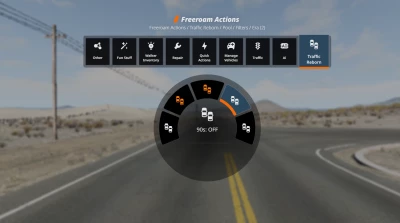
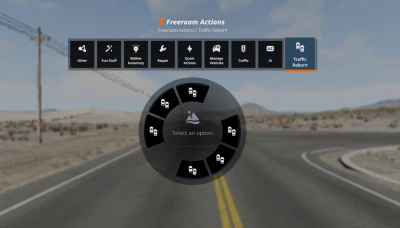
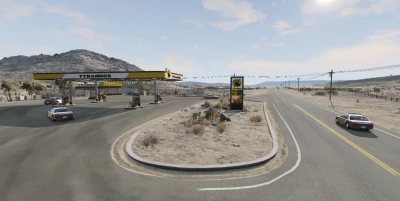
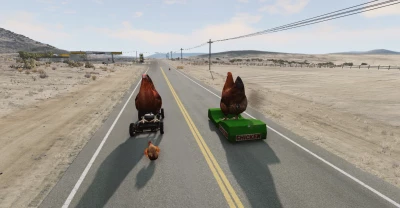
Traffic Reborn is a complete overhaul of BeamNG.Drive's traffic spawning and management system. Vanilla traffic control is limited - Traffic Reborn gives you full, granular control over everything that appears on the road.
How to access
Hold E to open the spawn menu. Find the new Traffic Reborn entry alongside the default traffic options.
Features
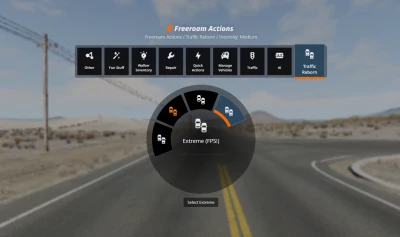
Traffic intensity - scale density from light street traffic all the way up to extreme. Note: extra-high settings are demanding - know your PC's limits before cranking it up.
Era & class presets - spawn vehicles from a specific decade or category: 70s, 80s, 90s, 2000s, sports cars, luxury vehicles, police-only, and more. Roads that actually feel like they belong to a time and place.
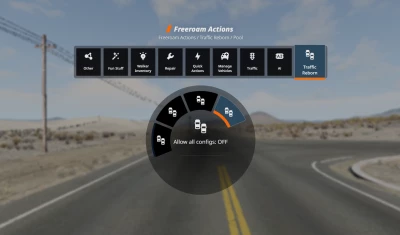
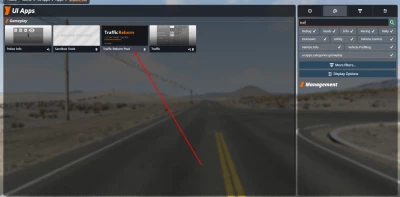
Custom vehicle pool - hand-pick exactly which vehicles appear in traffic. Open the dedicated Traffic Reborn UI app, select your vehicles, and only those will spawn. Full control, no randomness you didn't ask for.
Mod support - Traffic Reborn auto-detects your installed mods and lets you include them in traffic pools. Heavy mod vehicles can impact performance - choose wisely.
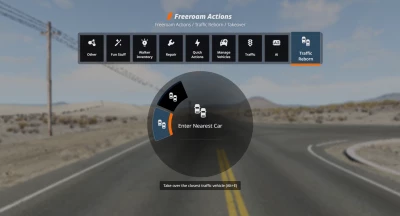
Vehicle takeover - walk up to any traffic vehicle and press Alt + E to take control of it, or use the corresponding option in the menu. Want to jump into that vintage muscle car you just spawned? Now you can.
Saved profiles - create, save, and load traffic configurations. Set up a 90s police chase scenario, a supercar-only session, or your daily mix — switch between them instantly.
AI Driving behaviours (added in v1.1) - agressive, calm, mix, racers, standart, etc.
Police persuits + drones (added in v1.2, new features in v1.3) - police in Traffic: None / Some / Lots - how much police spawns with traffic. Wanted Level 1 / 2 / 3 - the police start chasing YOU. Clear / Evade - end the pursuit. Police also chasing traffic cars (added in v1.3).
Live Controls - Freeze / Unfreeze Traffic - instantly freeze/unfreeze all traffic. Scatter Traffic - shuffle the traffic around you. Bring Traffic to Me - pull traffic right up close.
Hotkeys:
Alt + T - spawn / despawn traffic using your current mod settings
Alt + E - take control of the nearest traffic vehicle
Availability
Currently v1.1 available to all for Free, v.1.2 is available to Tier 2+ Patreon supporters, or as a one-time purchase. Once version 1.3 releases, version 1.2 will become free for everyone — same as all my other mods.
Thanks for the support, it means a lot.
Changelog (both free and PRO)
BeamNG 0.39 compatibility:
- Rebuilt the traffic spawn call for the reworked 0.39 engine API. On 0.39 the old call failed silently: traffic still appeared, but vehicle presets, intensity limits and police in traffic all stopped working with no error shown. If you updated the game, this is the fix you need.
- Police in Traffic works again on 0.39 and None / Some / Lots are meaningfully different once more.
- Custom and filtered vehicle pools now get police mixed in properly.
- One build runs on both 0.39 and 0.38, so nothing breaks for players who have not updated.
Fixed: the AI could steal your own car:
- If you stepped out on foot while traffic was running, the AI could take over the car you just left and drive off with it. Fixed. Leaving your car now also switches its AI off and keeps it off, so it stays exactly where you parked it.
- The "Abandon" and "Re-arm" exit modes of Takeover are unaffected and still work as before.
Escalation is now free for everyone:
- The whole Most Wanted set that was Pro in 1.4 moves to the free edition: wanted levels 4 and 5, escalation profiles (Mild, Aggressive, Relentless), automatic roadblocks, spike strips that deflate tires, reinforcements and the pursuit summary.
Other:
- New low poly police helicopter as the lead air unit, replacing the placeholder drone. It carries the searchlight, with the small drones flying escort.
- Pursuit HUD reworked: clearer wording and a proper progress bar.
PRO Only changes
Police Mode - play as the cop:
- Turn yourself into a pursuing officer. Flag the nearest traffic car as a suspect and chase it down. Your car becomes the police unit, the suspect actually flees, and the engine's police system backs you up.
- Arrest by stopping the suspect and holding still next to it for three seconds, or press Bust for an instant arrest when you are close. A rolled over suspect counts as a takedown and can be arrested too.
- Next Suspect Auto: after each arrest the next nearest car is flagged automatically, so a shift keeps rolling. Can be switched off.
- Two bindable keys for chase and bust, so you do not have to open the radial mid pursuit.
Route arrows to the suspect:
- Red arrows are drawn along the road to the suspect and follow it as it moves.
- If the suspect goes off road and no sensible road route exists, the arrows are hidden instead of pointing you the wrong way, and the HUD shows the distance and direction to the suspect instead.
Dispatch radio:
- Police radio callouts during a pursuit: suspect fleeing, heading updates every few seconds, roadblock deployed, arrest made, suspect escaped. Pure atmosphere, no gameplay effect, and it can be switched off.
Scenarios:
- Five one click traffic setups, each bundling intensity, vehicle pool, driving behaviour and police presence: Rush Hour, Night Chase, Convoy, Wasteland, Sunday Drive. These are setups you pick and they stay put, not random events.
Notoriety:
- Escaping a serious chase builds a reputation that is saved between sessions. The higher it climbs, the more police respond when traffic spawns. Can be switched off or reset.
 Report file


COMMENTS
There are no any comments
Write a comment