

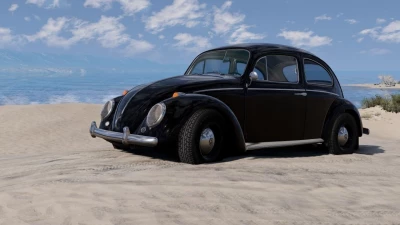


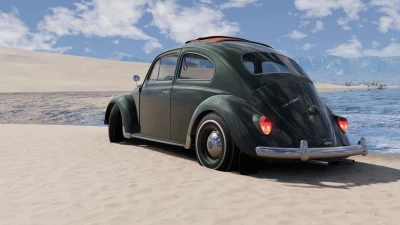
- High-quality exterior and interior model;
- Well-developed engine compartment and engine;
- PBR materials, PBR light;
- Smooth light ignition;
- Good Jbeam;
- Animated instruments, clocks, pedals, gear lever, handbrake, wipers, wiper switch, light switch, turn signal switch, interior handles, mudguards;
- Work radio;
- Working lighting equipment;
- Working mirrors;
- Triggers in the cabin;
- Openable;
- Tuning;
- Your wheels;
- Skins;
- 28 configurations.
How to add your own music to the radio:
1. Navigate to the following folder: %localappdata%/BeamNG.drive/0.32/settings/vehicles.
2. Create a bug folder with the radio folder in it (for example, bug/radio/). For each radio station, create a subfolder in the following format: .
- (frequency) is a number in the range from 87.5 to 108.0 MHz. You should always specify the decimal place. There must be an interval of at least 0.3 MHz between stations. Folders with a frequency that matches or is too close to the frequency of another folder are always the same radio station.
- (name) is an arbitrary radio station label.
- Tracks are played in random order. To play the tracks in order, add = to the name of the radio station folder immediately after the frequency, i.e. 91.0= K-DST
Example:
bug\radio\
88.3= TheFolder
97.5 Beats.FM
105.0 Amazon Music
3. Place your favorite music files in the created folders. Currently, only MP3 and WAV files are supported.
Version 25.0:
- Technical changes required for the future version of AW;
- Added a sound effect for the opening of the fuel tank cap;
- Fixed and redesigned keyboard interactions and bindings;
- Fixed too weak feedback (FFB);
- Various text and title adjustments, as well as minor corrections.
 Report file


COMMENTS
There are no any comments
Write a comment