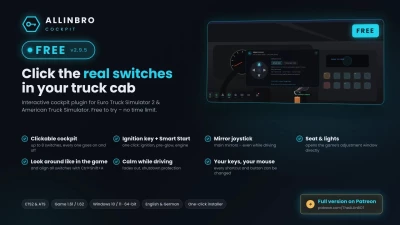


Clickable cockpit – put up to 8 switches anywhere in your cab. Click an empty spot, pick a function from the mini menu, done. The ignition key does not count against the limit.
Ignition key and Smart Start – a clickable key in the ignition lock. One click starts the truck in the right order: ignition, pre-glow, engine. The same button shuts it down again.
Mirror joystick – moves the two main mirrors directly, like the mirror switch in a real truck door, even while driving. Open it with the mirror switch in the cab or Ctrl+Shift+M. Hold an arrow, or hold the right mouse button beside the panel and move the mouse.
Seat and lights – opens the game’s adjustment window directly on the right tab. Close it in the game and AllinBro is back by itself.
Look around like in the game – hold a mouse button on an empty spot and turn your head, no circle and no pointer in the way.
Align switches – seat moved or a different field of view? Ctrl+Shift+A, drag the whole layer onto the real buttons, done.
Calm while driving – key and engine buttons disappear while you drive, bars and windows dim. Shutdown protection stops you from switching the engine off at speed by accident.
Start assistant – shows the next step when you get in: ignition, engine, lights, parking brake.
Dock bar and basic displays – status, warnings, fuel and clock.
Your keys, your mouse – every shortcut, the mirror joystick keys and the mouse buttons for looking around and for the mirrors can be changed. A wheel or gamepad button can switch control mode too.
Per-truck profiles – each truck keeps its own switch layout.
English and German, switchable in the setup and in game.
Requirements: Euro Truck Simulator 2 and/or American Truck Simulator, game version 1.61 or 1.62
 Report file