

Portable Windows utility for Euro Truck Simulator 2 and American Truck Simulator.
It helps you set up a new profile, copy your favorite trucks and wheel settings, or apply the load order for a map build.
The interface is available in English and Russian. Use the language selector in the top-right corner to switch.
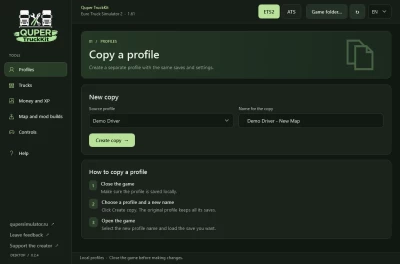
Copy a profile. Create a copy under a new name with its saves and settings. This is useful for trying a different map or mod setup while keeping your main profile intact.
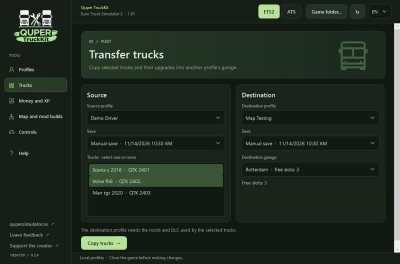
Copy trucks and their upgrades. Copy selected trucks into a garage in another profile of the same game. The destination garage needs free slots and the destination profile needs the same mods and DLC used by those trucks.
Copy controls. Transfer shared key bindings, axes and force feedback between ETS2 and ATS. Within the same game, you can also copy shifter layouts and driving settings, with optional sound, camera, interface and navigation settings.
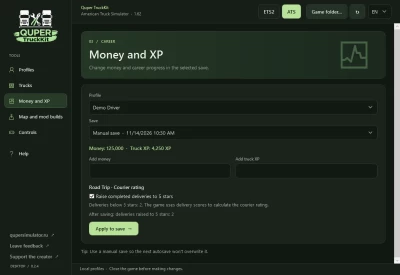
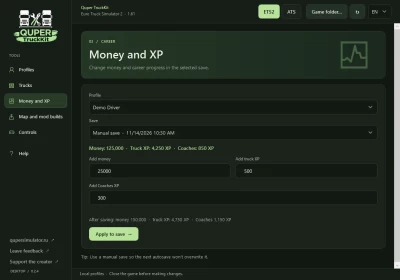
Edit money and career progress. Add money or truck XP to a selected save. ETS2 Coaches XP is edited separately. In ATS Road Trip, you can raise completed courier delivery ratings to five stars. The app previews the changes before writing them.
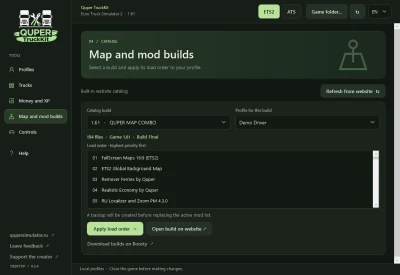
Apply a mod load order. Pick a preset from the catalog, check the load order and see which mod files are missing or need a different version. Download the required files separately before loading the profile in-game.
Getting started
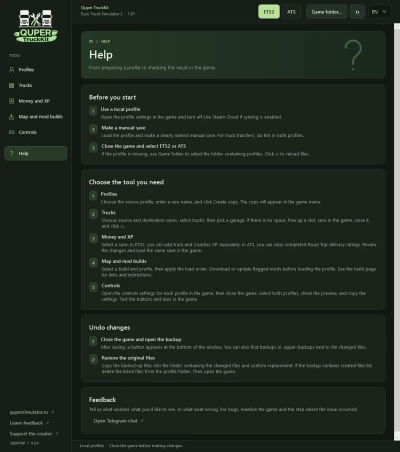
Use a local game profile. If the profile uses Steam Cloud, turn off Use Steam Cloud in its settings first.
Make a manual save and close the game. For truck transfers, make a manual save in both profiles.
Open Quper TruckKit, select ETS2 or ATS, and choose a tool. After editing a save, load that same save in the game.
The app backs up the files it changes. Profiles and saves are processed locally. Truck and Coaches XP editing is available after you reach level 1 (200 XP) in the corresponding career.
Road Trip ratings require a save with completed courier deliveries.
New Mod Manager for ETS2 and ATS. Search the local mod folder, activate or deactivate mods, and change their load order by dragging them between lists or using the arrow buttons. The highest-priority mod is shown at the top.
Copy mods between profiles. Preview the source profile's load order, then replace the destination profile's entire active mod list with it. Both profiles must be local and belong to the same game. Install the mod files separately.
Backups for mod changes. TruckKit backs up the destination profile before saving a manually edited load order or copying one from another profile.
Clearer sidebar. The profile-copying tool is now called “Clone profile” and sits next to “Copy mods” and “Mod manager.”
 Report file