

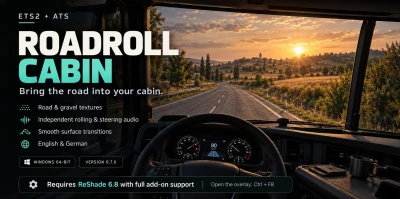


RoadRoll Cabin adds an extra layer of road and tire sound to Euro Truck Simulator 2 and American Truck Simulator, controlled directly through an in-game ReShade overlay.
What to expect
Cabin-filtered rolling sound with road and gravel textures.
Steering friction sounds when maneuvering, especially at low speed.
Separate switches for rolling and steering audio.
Three simple profiles: Realistic, Louder and Quieter.
English and German interface.
Automatic sound fade when paused or switching away from the game.
No separate desktop application required.
Requirements
64-bit Windows.
ETS2 and/or ATS.
ReShade 6.8.0 with full add-on support, available at https://reshade.me.
The RoadRoll Cabin setup, which includes both required plugins.
Quick installation
Close your games and any older RoadRoll or RoadSense application.
Install ReShade’s full add-on support version for your game. No shader packs are required.
Run the RoadRoll Cabin setup and select your game’s main folder—the folder containing bin.
Launch the game and accept the telemetry-plugin prompt if shown.
Press Ctrl + F8, then select RoadRoll Cabin in the ReShade overlay. Alternatively, use your usual ReShade menu key.
Choose your language, enable the sounds you want and select a profile. Settings save automatically.
 Report file


COMMENTS
There are no any comments
Write a comment