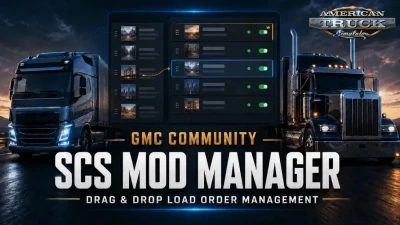


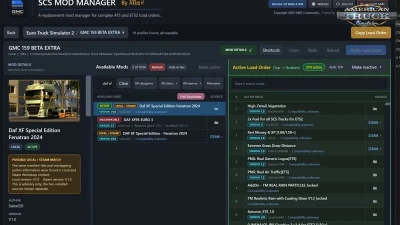
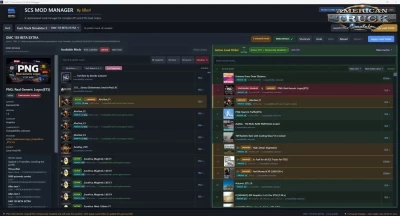
– One manager for ETS2 & ATS — select a game, choose a profile, start organising
– Built for large collections — drag mods through long load orders with Slow, Normal, or Fast auto‑scroll
– Search, filter & sort by title, filename, category, compatibility, source, author
– Full mod details — names, authors, versions, descriptions, artwork
– Profile safeguards — backups, external‑change rejection, rollback protection
– Active Load Order control — drag‑and‑drop, group movement, Undo, Redo
– Workshop recovery — reconciles installed items, preserves missing active references
– Export load orders — numbered TXT or spreadsheet‑ready CSV with metadata
– Duplicate Finder — read‑only SHA‑256 detection of accidental Windows copies
– Adjustable mod icons — Off, Small, Large, Extra Large (128px thumbnails)
– Direct Steam launch for ETS2 or ATS, with warnings for unapplied edits
– Supports unpacked mod folders — retains directory paths, reads manifest artwork
– Advanced Steam connection controls — System, Direct, HTTP, HTTPS, SOCKS5 proxy testing
Changes in v3.0:
– Shorter In-App Guide: Streamlined documentation for quicker reading.
– Accurate Apply Count: Shows a more precise mod count when temporarily disabled mods are involved.
– Clearer Linux Messaging: Provides better, more explicit warnings for unsupported preserved Windows/Proton game launches.
– Improved Exports: CSV and TXT exports remain available, but CSV now uses plain version values (choose Excel export for a fully formatted spreadsheet).
– Easy Order Sharing: Use the new .gmcorder file format to easily share and import load orders into Mod Manager.
Tested on latest game version 1.62.x
 Report file