

Changelog
BETA 5.1.3 (fixes)
Benches (experimental)
- "[F] Sit down" comes up by itself when you stand in front of a bench, a chair or a low wall - no need to look for it.
- You now sit ON the seat (no more sitting beside it or on the floor), with a slower, natural turn as you sit down.
- While seated you can look around, but no longer turn the view a full 360 degrees.
Hands
- The papers, the delivery forms and the licence card now show the hands you chose in the driver profile (female / dark skin).
- A female driver now has her own hand for the sandwich too.
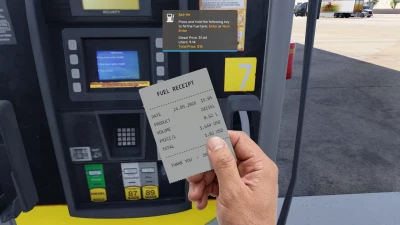
- The fuel receipt: the print no longer changes between big and small.
- The cigarette: in the window hand only while you sit in the truck. On foot it stays in the usual hand.
WHAT YOU GET
-Walk, run, crouch and jump (WASD), with realistic head movement, footsteps, breathing and a tired sigh after a long run.
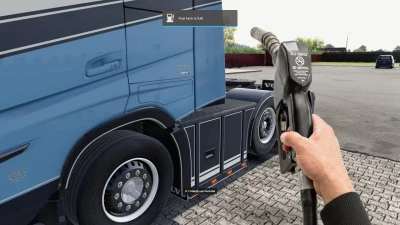
-NEW: Fuelling on foot. Stop at the fuel station, get out, pay with your fuel card at the pump (card animation, PIN terminal, odometer), take the nozzle, fill your tank, hang it up and take your printed receipt. ETS2: DKV card, km, euro. ATS: Comdata card, miles, dollars, and the terminal also asks for your tractor and trailer numbers.
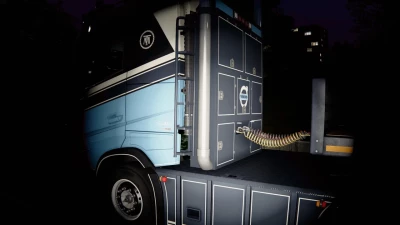
-NEW: A flashlight that works by day and by night (right mouse button), with three beam sizes (G).
-A soft shadow follows you on the ground, so you can see where your feet are. Adjustable in the settings menu, or turn it off entirely.
-Real ground under your feet: the plugin uses the game's own collision, so fences, buildings and walls stop you, and you follow slopes and roads (with some limitations).
-Hold E while walking forward to climb stairs and steps; press F8 to hop through a wall to enter or leave a building, or if you get stuck.
-Zoom in by holding the left mouse button.
-Adjustable eye height (Q / E).
-Plugin messages appear in the game's own notification box, so they look like part of the game.
-A settings menu (Ctrl+F10) in English and Bahasa Melayu. Almost everything can be adjusted or switched off there: the hands, the on-screen [F] prompts, head bobbing, the shadow, the keys and much more.
-All sounds are built in.
HOW TO INSTALL (once per game)
Extract the zip file first.
Copy TMRealWalk.dll and TMRealWalk.ini into the game's bin\win_x64\plugins folder.
Start the game and press Ctrl+F10.
 Report file