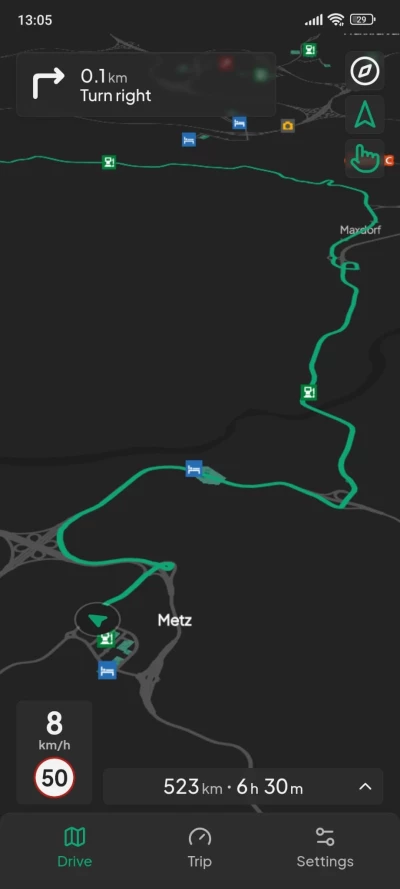


Real-Time Navigation & Live ETAs: Live GPS tracking and real-time route estimates powered by in-game telemetry.
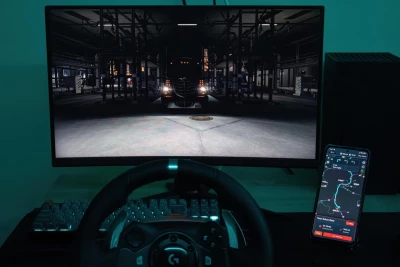
Second-Screen Experience: Use your phone, tablet, or secondary monitor as a dedicated GPS unit.
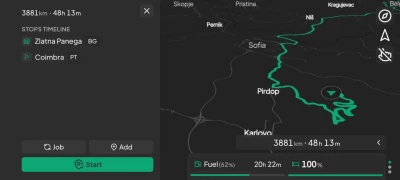
Multi-Waypoint Support: Plan complex routes with dynamic "Add Stop" waypoint management and stops timeline.
Modular DLC & Mod Support: In-app manager to easily download and manage map packages, including ProMods support!
Live Vehicle Diagnostics: Real-time telemetry, trip statistics, and component wear tracking.
Desktop & Discord RPC: Standalone desktop client with native fullscreen (F11) and Discord Rich Presence.
Cross-Platform Support: Available as desktop (.exe), mobile (.apk), and web browser app.
Global Localization: Supports English, German, Romanian, Korean, Czech, Slovak, Dutch, French, Russian and Chinese.
What's New in v0.6.0
Complete UI Overhaul: Redesigned all main views (Settings, GameManager, Map Mods, popups) with a unified design system, Jakarta font, and motion frame animations.
Draggable Bottom Sheet & Pill Navigation: Added a smooth draggable bottom drawer with quick-access tabs (Drive, Trip, Settings) and global app scaling.
Vehicle Wear & Live Telemetry: Added an interactive carousel in landscape mode showing real-time telemetry stats and individual component wear.
Persistent Multi-Stop Routing: Modularized routing engine with persistent waypoints, improved U-turn logic, and mobile map performance boosts.
Truck Marker & Route Visuals: Added customization options for marker glow and outline, alongside cleaner, modernized route lines and turn arrows.
Map Fallbacks & New Map Mods: Added download fallbacks for restricted regions (e.g. Russia/Belarus), dynamic mod file sizing, and support for ETS2 Iceland DLC and More European Cities.
Desktop Fullscreen & Languages: Native F11 fullscreen mode and added full language support for French, Russian and Chinese.
Installation
1. Launch the TruckNav Desktop app to see your IP address and for the telemetry to launch.
2. Open the app on your phone/tablet (or browser) and enter that IP.
3. Drive!
 Report file