

Mouse Click Actions (MCA) makes vehicle interactions in Farming Simulator 25 easy and intuitive. It lets you aim freely with the mouse and trigger actions with a clean, satisfying click.
It works completely standalone and does not require any other mod. When used as the primary interaction mod, MCA provides a full mouse-driven interaction system with hold-to-click, cursor freeing, head-tracking support, and optional labels.
When the Interactive Control (IC) mod is also installed, Mouse Click Actions automatically switches to companion mode: it adds clear on-screen text labels to IC's interaction points while leaving all interactions to Interactive Control.
How It Works (Primary Mode)
Mouse Click Actions uses a mouse-driven approach:
* Hold the interact key (R) to freeze your view in place and free the mouse cursor.
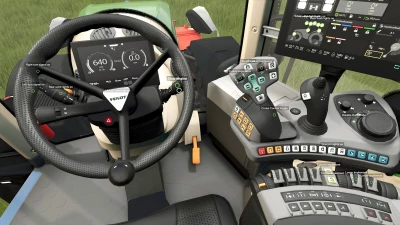
* The cursor highlights interaction points clearly - the one under your cursor is emphasized.
* Click to trigger actions with satisfying precision.
* Scroll the mouse wheel while holding R to zoom in/out for tightly packed controls.
This works both inside the cab and on foot. Releasing R instantly returns you to normal mouse-look or head-tracking.
Mouse Click Actions was designed with head-tracking users in mind (TrackIR, Tobii, opentrack). In the cab, your view follows your head, which is wonderfully immersive but makes aiming for an interaction point tricky. Hold R and the head-tracked view freezes while the mouse cursor is freed: just face the general direction, then move the cursor straight to any control and click, no precise head-aiming required. Scroll the mouse wheel while frozen to zoom in on tightly clustered controls. Release R to resume head tracking.
Interaction mode is only active while holding R, so quick taps of R continue to work normally for other game functions.
Features (Primary Mode)
* Works on foot and inside vehicles
* Designed for head tracking - freeze view on demand for precise clicks
* No accidental activations - actions only trigger on actual clicks
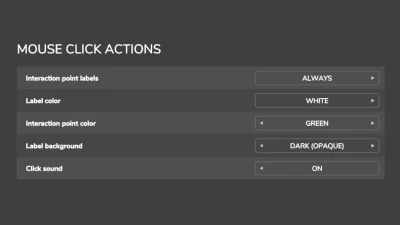
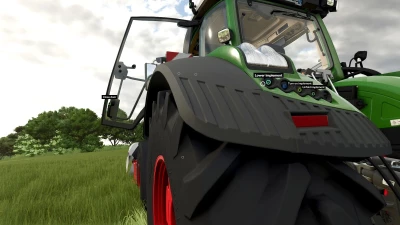
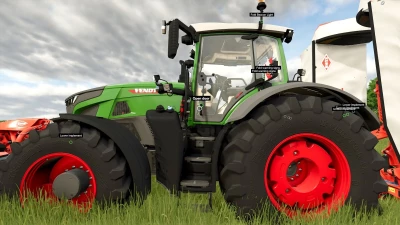
* Optional labels for interaction points
* Out-of-reach points appear grayed out; empty points stay hidden until relevant (e.g. implement attached)
* Fully customizable: labels, colors, backgrounds, and click sound via Settings > General Settings
* Full multiplayer support
Compatibility & Notes
* Mouse Click Actions reads the same interaction data format as VertexDezign's Interactive Control, so it supports all vehicles that work with IC.
* In companion mode (with IC installed), it adds helpful text labels that automatically respect your Interactive Control visibility settings (always, on hover, or off).
* All label options remain available in the settings menu. Primary mode options are grayed out when IC is present.
- 0 Likes
- 0 Comments
- 8 Downloads
-
 8
Downloads in
8
Downloads in
-
 1 hour ago


 Report file


COMMENTS
There are no any comments
Write a comment