

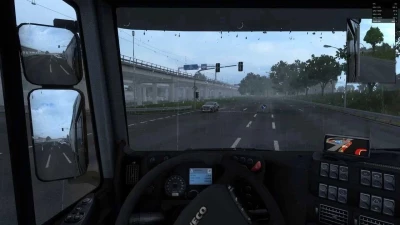


ETS2 Graphics Overhaul
Every effect in the comparisons above has its own sliders and switch.
You adjust them live, while driving, and see the change instantly – no game restart and no digging through files.
Image, Scaling, Atmosphere, Night, Film & glass and Rain tabs, with a (?) description next to every feature.
Right-click a slider to reset it to its default.
Every section has a switch, and a slider at 0 turns the effect off completely.
Save your look as a preset and share it as a single line of text.
Ctrl + Alt + Plus opens the window, Ctrl + Alt + Minus is a quick before/after toggle in game.
What’s new:
No trails behind vehicles – with FSR and DLSS the truck, the trailer and traffic no longer leave smears, tyres, mudguards and air lines included, in the outside camera and in the mirrors.
Calm cab – no "ghosts" when you look around, the back of the cab and the passenger door included.
Refreshed Forma Custom – a calmer glow, softer shadows and SSAO, less FSR sharpening, better greens.
Note – the more precise smoothing of vehicles can cost a few frames per second.
 Report file


COMMENTS
There are no any comments
Write a comment