

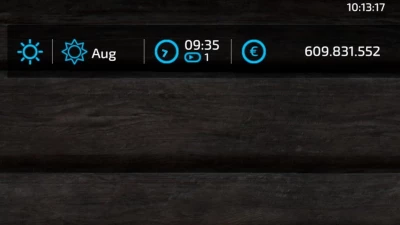
Shows the current real time in the upper right corner.
This script creates a configuration xml at first startup in your modSettings folder. There you can adjust the following:
* Position
* isDynamic
true: automatically position the text in the upper right corner considering his dimensions, ignore x and y
false: Use x and y ignoring text dimension
* x, y: the position on the screen, see small illustration below for details
1,0 .. 1,1
0,0 .. 1,0
* Color and size of text
* color: supports the following text values: black, white and all rgba colors seperated by comma in the range [0..1] example king blue "0.25,0.41,0.88,1"
* fontSize: the size of the font to display, a value in the range [0..1], default 0.015. UI Scale is used for calculating the font size to display
* Format of datetime string (see list below)
Possible Formats:
%a abbreviated weekday name (e.g., Wed)
%A full weekday name (e.g., Wednesday)
%b abbreviated month name (e.g., Sep)
%B full month name (e.g., September)
%c date and time (e.g., 09/16/98 23:48:10)
%d day of the month (16) [01-31]
%H hour, using a 24-hour clock (23) [00-23]
%I hour, using a 12-hour clock (11) [01-12]
%M minute (48) [00-59]
%m month (09) [01-12]
%p either "am" or "pm" (pm)
%S second (10) [00-61]
%w weekday (3) [0-6 = Sunday-Saturday]
%x date (e.g., 09/16/98)
%X time (e.g., 23:48:10)
%Y full year (1998)
%y two-digit year (98) [00-99]
%% the character `%´.

- 7 Likes
- 2 Comments
- 1130 Downloads
-
 1
Downloads in
1
Downloads in
-
 4 years ago


 Report file


COMMENTS
Great work, I've been waiting for this. TY
Witam mógł by ktoś wytłumaczyć jak ustawić zegarek bo mam tylko czas a nie wiem jak przestawić na datę i tp: pozdrawiam.
Hello, someone could explain how to set the watch because I only have time and I do not know how to switch to the date and tp: greetings
Write a comment