

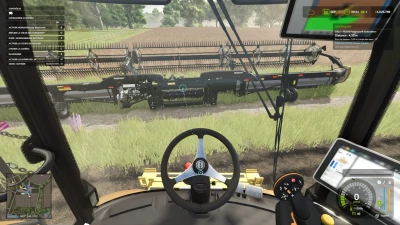
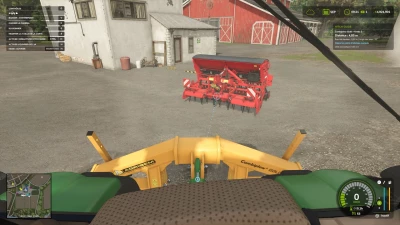
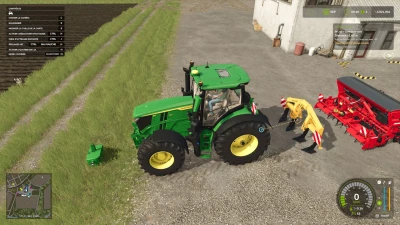
Attaching your tools becomes easier with Hitch Guide!
Approach a compatible detached implement with your vehicle: circles mark the actual hitch points, and a dotted line helps you align them. A small panel displays the distance, height difference and angle between the axes. The marker turns green when FS25 offers the corresponding hitch.
Features:
• Detection of compatible hitches, both at the front and rear, including cutter bars.
• Support for free hitch points on implements already connected to the vehicle.
• Automatic or manual target selection.
• Compact FS25-style panel, placed below the time and money display and adapted to the HUD resolution and scale.
• Option to hide the panel while keeping the line and markers visible.
• Configurable range, maximum speed, panel size and display options.
• Settings saved automatically.
• 27 FS25 languages and regional variants.
Default controls (in vehicle):
Left Ctrl + H: enable / disable guidance.
Left Ctrl + J: select and lock the next target.
Left Ctrl + Left Shift + H: open the settings.
Keys can be changed in the game controls.
By default, guidance appears within 15 m and up to 12 km/h. To display only the line and circles, set “Show panel” to No and leave markers set to Yes.
The mod guides alignment; it does not drive or attach for you. Use the usual in-game action to attach. It respects hitch types and farm access rights. Special connection systems used by some mods may not be recognized.
Installation: place FS25_HitchGuide.zip in the mods folder without extracting it, then activate Hitch Guide when loading your savegame. Script mod for PC / Mac; not available on consoles.
- 0 Likes
- 0 Comments
- 15 Downloads
-
 15
Downloads in
15
Downloads in
-
 2 hours ago


 Report file


COMMENTS
There are no any comments
Write a comment